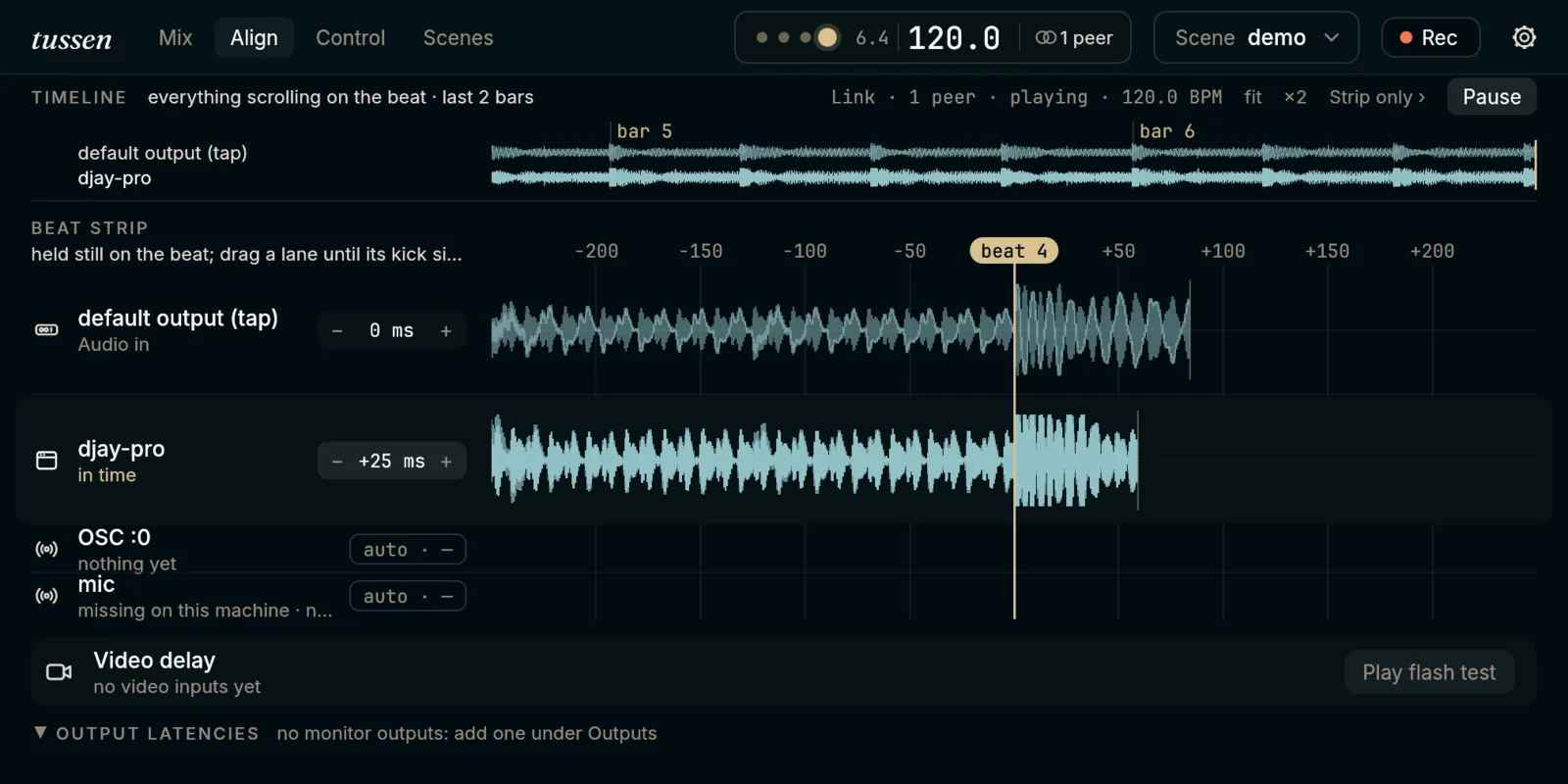
A djay set, lined up: drag the waveform until the kick sits on the line.
The drop lands everywhere at once
You are playing a set in djay or Ableton, and your VJ has TouchDesigner up on the projector. Usually the flash comes a hair before the kick: sound takes longer to come out of a mixer than a picture takes to draw. tussen sits in between and holds each one back by just enough, so the drop hits the speakers and the screen together.
Bring in whatever you play with: your audio interface and mics, the sound of any app on your Mac, cameras, your screen, video clips that follow the tempo, your favourite plugins. tussen takes the beat from your music over Ableton Link and lines everything up on it. Lining something up is one drag.
Rehearse against last night’s jam
Hit record and tussen keeps the whole jam: every sound, every knob you turned, the beat itself. Back home, play it again and it behaves as if the band were in the room. Build your visuals against it as often as you like, perfectly in sync, and send the take to a friend as one file.
tussen can make the visuals too. Put effects on a camera or a clip and let them pulse with the beat, swell with the music, or follow a knob on your controller. When it looks right, send it fullscreen to your projector.
Plug in a controller and play
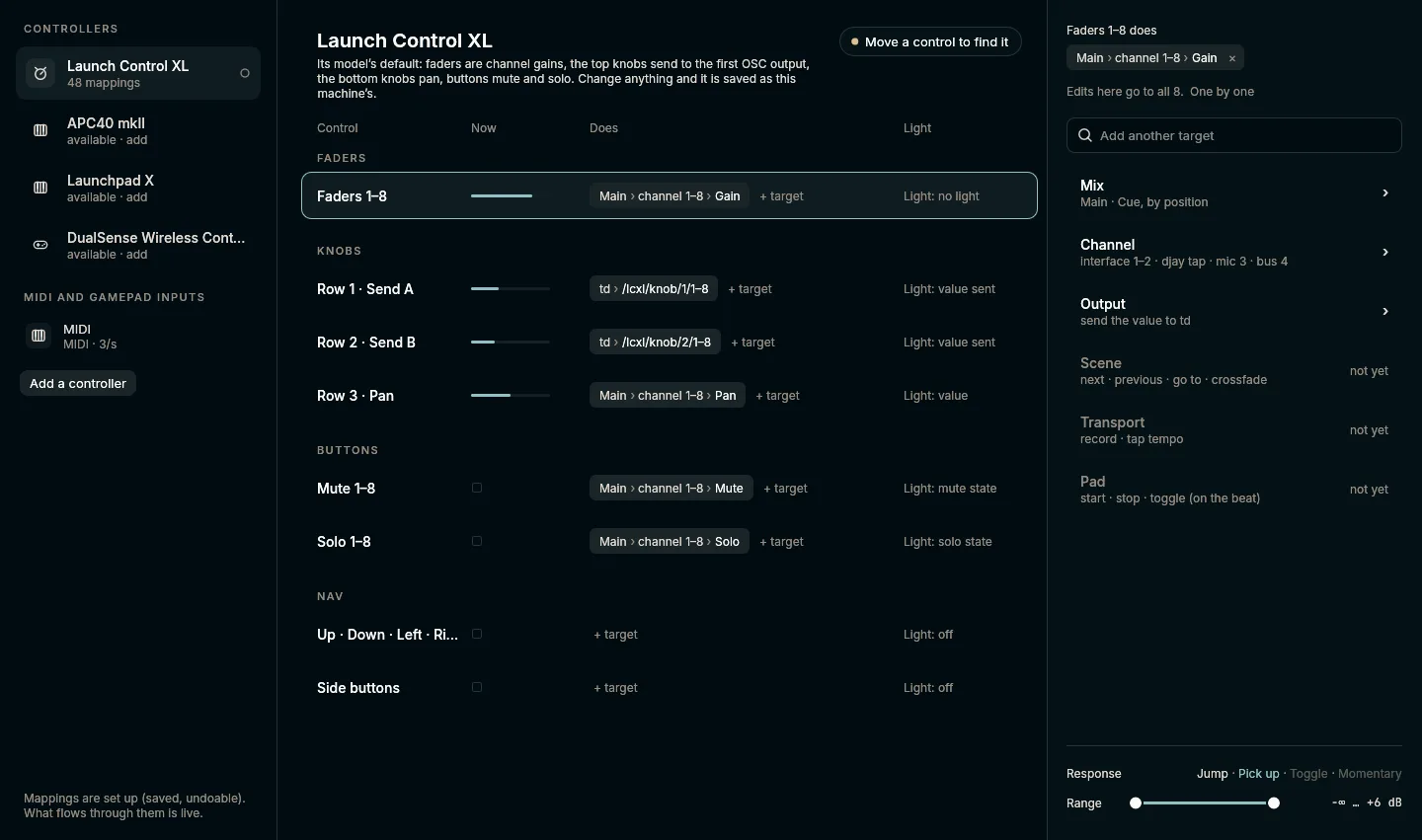
Plug in a Launch Control XL and it drives the mix the moment it is in: levels, pans, mutes and solos, with its lights showing you the mix. A MIDI Fighter Twister is picked up the same way. Want a knob to sweep an effect, or a pad to bring in the next part of your set? Give it that job in the Control tab.
Each part of your set can be a scene: its mix, its plugins, its visuals, its tempo. Press the pad and the next scene comes in on the next bar, without a click.
A Launch Control XL, ready to play: every fader, knob and button, and what it does.
Jam with a friend in another city
You are in Amsterdam, your friend is in Berlin. Send an invite, they paste it in, and you are playing together: their sound arrives in your mix on your beat, and the Ableton or djay on their Mac follows along. It works across the internet, from home.
Download
Where it is at
Alpha, for the Mac.
What you need
A Mac on macOS 13 or later; 14.2 or later to bring in another app’s sound.
Windows, Linux
Not yet. Leave your email on the download page and we will tell you when.
Leave your email, type the six digits we send you, and it is yours.
It speaks OSC, MIDI 1.0 and 2.0, Ableton Link and NDI, hosts VST3 and CLAP plugins, and runs ISF shaders. Scripts and AI agents (over MCP) can do everything the window does. One Rust process, with or without its window.
Why tussen?
It started at the ADE Lab hackathon in Amsterdam, October 2026. A team called tussen built an early prototype there: tussen-hub, open source and still on GitHub, if you are curious where it began. Simply Tussen grew out of it into a far more complete product. And the name? Tussen is Dutch for “in between”: it sits between your music, your visuals and the people you play with.